✗ agent waiting on (y/n) for 40 min
✓ answered from your phone
Prompts don’t wait for you
Claude Code and Codex stop to ask before risky edits. See the question and reply wherever you are, so the run keeps moving.
Brocoded connects your phone to the terminal sessions on your computer. Answer a prompt, check progress, or start a new Claude Code or Codex session — from anywhere.
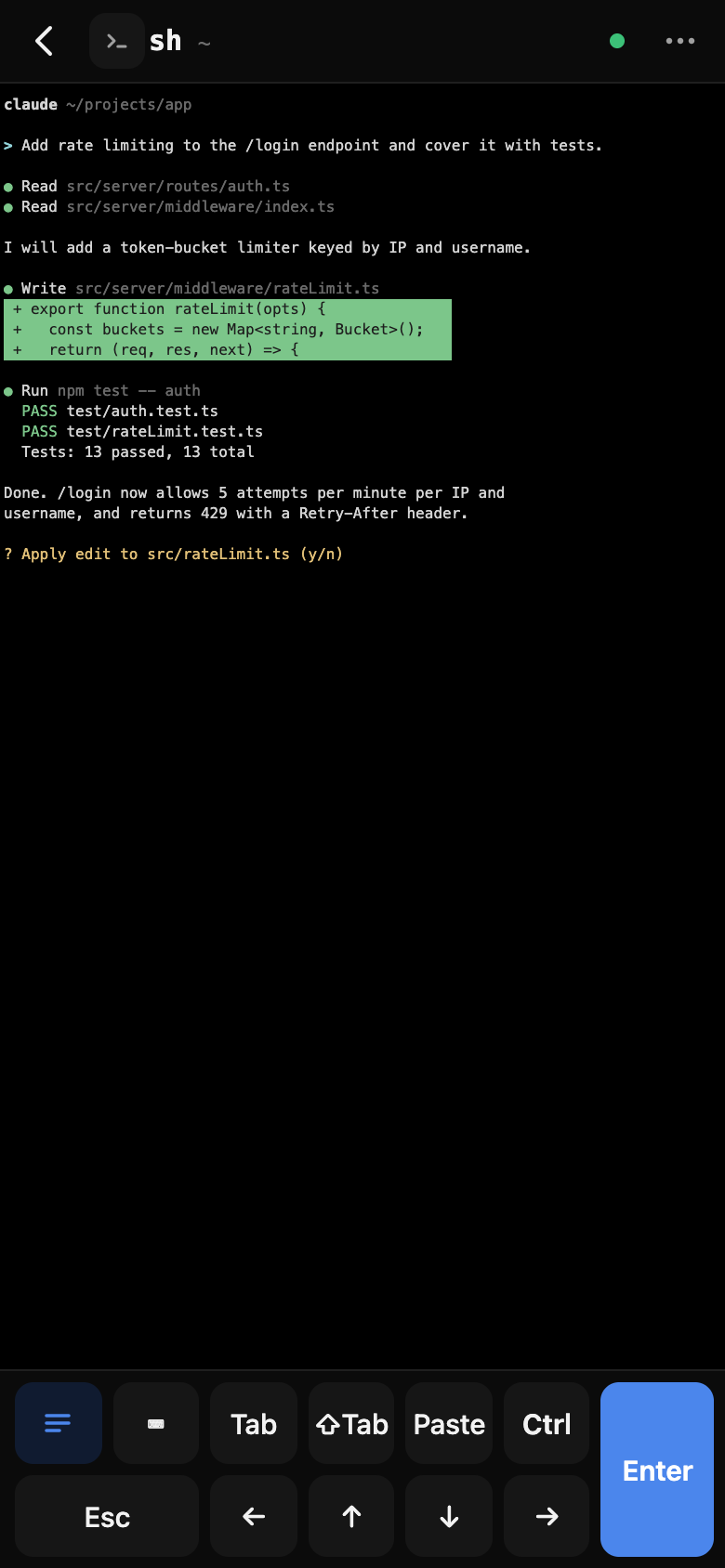
Claude Code and Codex stop to ask before risky edits. See the question and reply wherever you are, so the run keeps moving.
Pair your phone with a QR code. Nothing to expose, nothing to configure. Remove a phone anytime from the devices list.
Full-width output, a key bar with Esc, Tab, Ctrl and arrows, and a compose sheet for longer prompts.
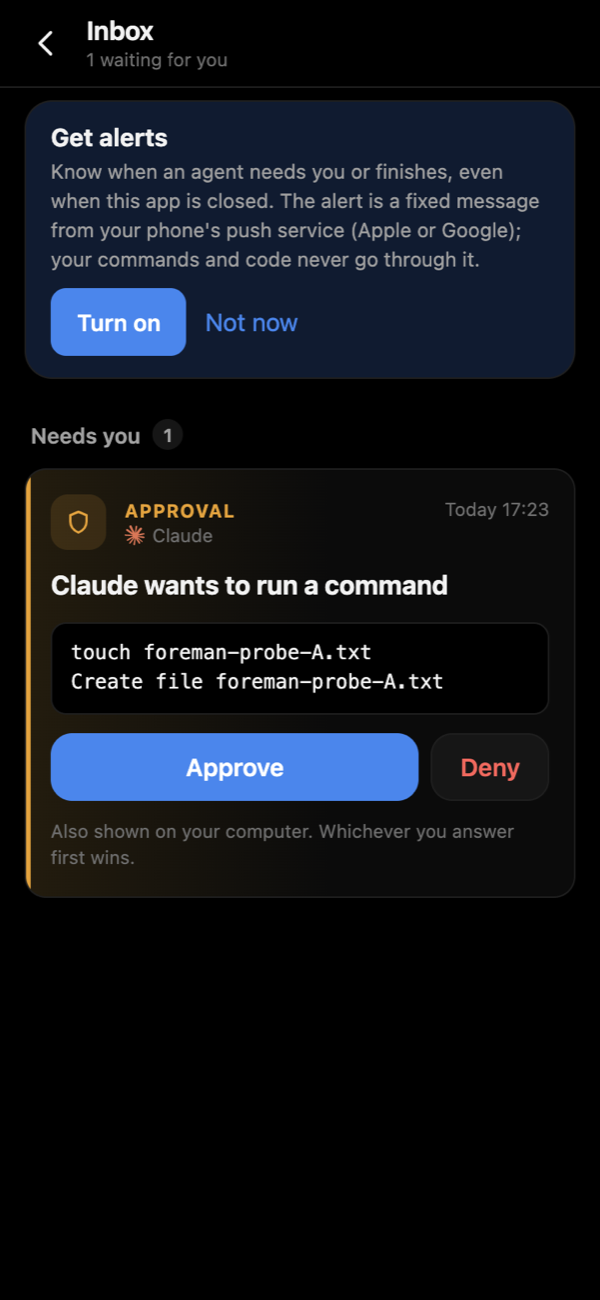
When Claude Code or Codex needs your approval, the card shows the full command, not a summary. Approve or deny from your phone; if you answer at the computer first, the phone updates to match.
Brocoded connects your phone to your computer without giving our servers access to your terminal, commands, files, or AI conversations.
Everything between your devices is encrypted.
The relay only forwards encrypted data.
Private keys are generated and stored on your devices.
No trackers watching what you do in the app.
Our relay can see limited connection metadata such as connection times and message sizes. It cannot read your encrypted content.
Install Brocoded on your Mac or Windows machine.
Run Claude Code or Codex as you normally do, or start one from your phone.
Use your phone or browser to see what’s happening, answer questions, approve actions, and intervene when needed.
 Brocoded
Brocoded is designed for the future where AI agents work for minutes, hours, or overnight — without requiring you to sit in front of them.
When Claude Code or Codex asks a question or needs approval, your phone buzzes. No need to keep checking the screen.
Control your AI agents from wherever you are.
The App Store and Google Play both charge fees to publish. To launch faster and keep costs low, we're starting with a web app on iPhone and iPad and a direct .apk on Android, and focusing on the core Brocoded experience. Store apps can come later as Brocoded grows.
Download the .dmg, open it, and drag Brocoded to your Applications folder.
Download for macOSDownload the .exe installer and follow the setup instructions.
Download for WindowsDownload the .apk file and install Brocoded. Android may ask you to allow installation from this source.
Download .apkNo App Store download required. Open Brocoded in Safari, tap Share → Add to Home Screen, and use it like an app.
Open BrocodedWindows with an iPhone, a Mac with Android — every pairing works the same way. Pick yours.
Open the .dmg and drag Brocoded to Applications.
If macOS blocks it, go to System Settings › Privacy & Security and choose Open Anyway.
In Terminal, make sure claude, codex or agy starts normally.
A QR code and a short code appear. Keep this window open.
Run the .exe installer and follow the steps.
If Windows Defender Firewall asks, allow Brocoded on private networks.
In PowerShell or WSL, make sure claude, codex or agy starts normally.
Open Brocoded from the Start menu. A QR code and a short code appear.
Use Safari. Other browsers can’t add it to the Home Screen.
Tap Share → Add to Home Screen, then open Brocoded from its new icon.
Allow camera access when asked, then scan the QR code.
Check the code matches your computer, tap Pair, then pick a session.
Download it from this page on your phone.
Android may ask you to allow installs from this source. Allow it, then tap Install.
Allow camera access when asked, then scan the QR code.
Check the code matches your computer, tap Pair, then pick a session.
Connect your computers, run sessions from your phone, approve and answer your agents, and get push alerts. All of it is on us, no account needed. #brocoded